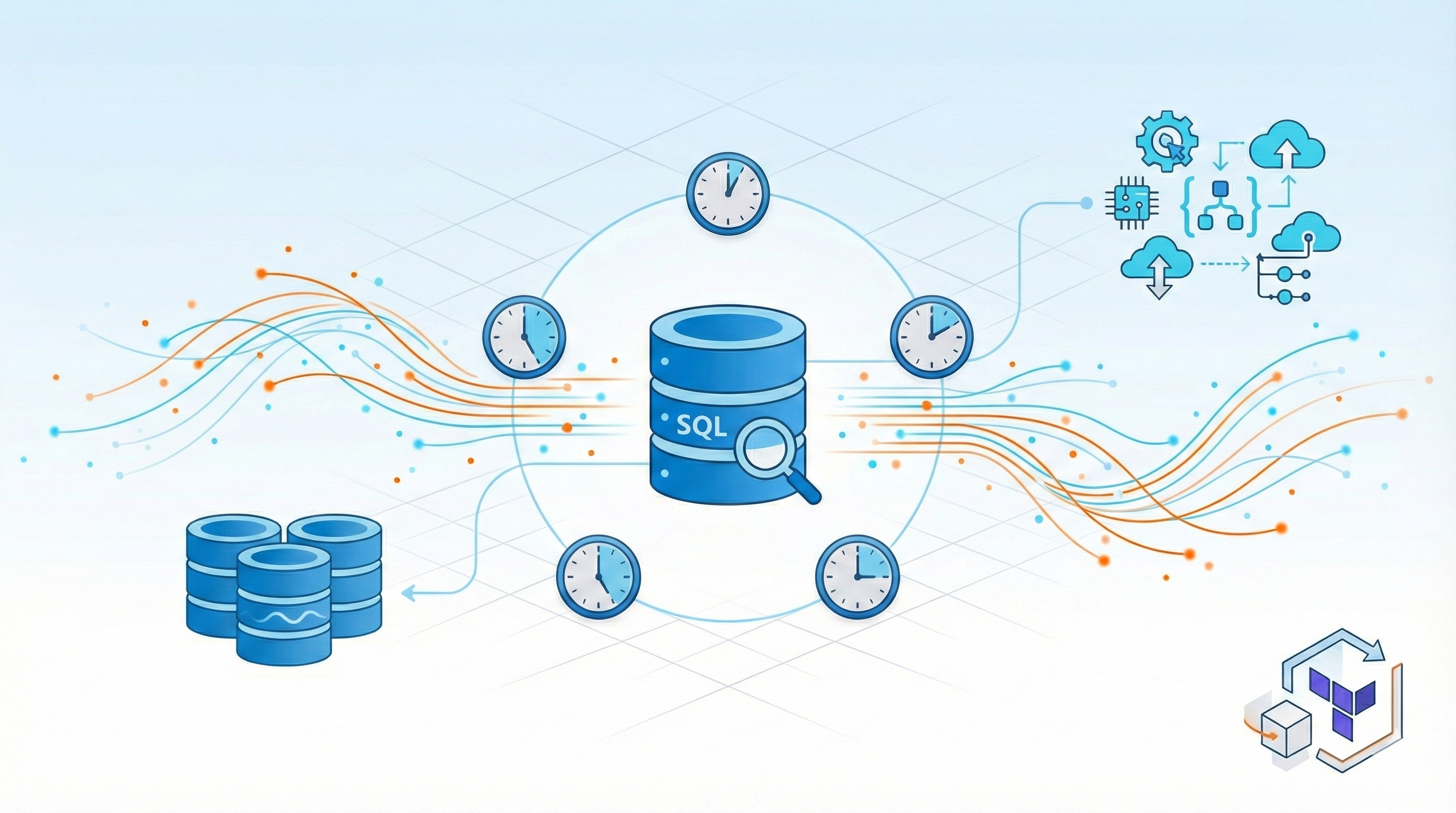
Intro
If you’ve ever tried to learn Change Data Capture (CDC), streaming pipelines, or incremental data loading, you’ve probably hit the same frustrating wall I did: static sample databases don’t teach you the hard parts. In this post, I’ll share how I built a Terraform project that deploys a continuously changing AdventureWorksLT database on Azure. This can be used for practicing real-world data engineering scenarios. And the best part? It doesn’t cost you more than a coffee per month.
GitHub Repository: https://github.com/stefanko-ch/AdventureworksLTDataSimulator
The Problem with Static Data
Let’s be honest: most data engineering tutorials use datasets that never change. You download a CSV, load it into a database, and that’s it. Great for learning SQL basics, terrible for learning how production data systems actually work.
When you’re building real data pipelines, you need to handle:
- Continuous data changes - new records arriving every minute
- Updates to existing records - customers changing addresses, orders being modified
- Deletions - cancelled orders, removed products
- Time-based patterns - business hours, seasonal trends
- Data quality issues - duplicates, missing values, edge cases
The classic AdventureWorksLT sample database from Microsoft is excellent for learning SQL and database schema design. But for practicing CDC, streaming, or incremental loads? It just sits there, unchanged, waiting for you to manually insert test data.
I wanted something: a database that behaves like a production system without the complexity of actually running a production system.
The Solution: Automated Data Simulation
I created an open-source Terraform project that deploys a self-updating AdventureWorksLT database on Azure SQL. The data simulation logic lives in 6 SQL stored procedures that generate realistic business operations. But here’s the challenge: Azure SQL Database doesn’t have SQL Agent to schedule these procedures automatically.
That’s where Azure Logic Apps come in: they act as the external scheduler to trigger the stored procedures every 5 minutes.
Why Logic Apps for scheduling? I evaluated several options:
- Azure Functions: Requires managing code, deployment packages, and runtime versions. Overkill for simple scheduled SQL calls.
- Azure Data Factory: More expensive for this use case, and designed for data movement rather than simple stored procedure execution.
- Databricks Jobs: Way too expensive (~$0.07/DBU-hour) for running simple SQL stored procedures every 5 minutes.
- Azure Automation: Could work, but requires PowerShell/Python runbooks and is more complex to configure than Logic Apps.
- Azure Logic Apps: Perfect fit - built-in SQL connector, simple scheduling, consumption pricing (~$0.000025 per action), and fully declarable in Terraform.
The winner: Logic Apps cost roughly $0.18/month for this workload (5 apps × 8,640 executions/month × $0.000025), making it the most cost-effective solution by far.
Here’s what the stored procedures do (triggered by Logic Apps):
| Logic App | Stored Procedure | What It Does | Frequency |
|---|---|---|---|
| Generate Orders | usp_Sim_GenerateNewOrders |
Creates 100 new orders with line items | Every 5 minutes |
| Ship Orders | usp_Sim_ShipPendingOrders |
Ships ~50% of pending orders | Every 5 minutes (offset +1 min) |
| Update Customers | usp_Sim_UpdateCustomerInfo |
Changes phone numbers for 20 customers | Every 5 minutes (offset +2 min) |
| Add Customers | usp_Sim_GenerateNewCustomers |
Creates 10-20 new customers with addresses | Every 5 minutes (offset +3 min) |
| Cancel Orders | usp_Sim_CancelRandomOrders |
Cancels ~10% of pending orders | Every 5 minutes (offset +4 min) |
The staggered timing (offset by 1 minute each) spreads the load and creates a more realistic pattern of continuous activity.
Key Features:
- 100% Infrastructure as Code - No manual SQL scripts or clicking in Azure Portal
- Automatic database user creation -
dbwriteranddbreaderusers with proper permissions - Secure credential storage - All passwords stored in Azure Key Vault
- Cost-effective - Runs on Basic tier (~$5-10/month)
- Easy cleanup - Simple
terraform destroywhen you’re done - Customizable - Change intervals, add new simulation procedures, or disable simulations
Architecture Overview
The system consists of three main Azure components working together:
Azure Logic Apps (5 Scheduled Tasks)
Every 5 minutes, staggered by 1 minute each to distribute load:
| Time | Logic App | Action | Volume |
|---|---|---|---|
| :00, :05, :10… | Generate Orders | Creates new sales orders with line items | 100 orders |
| :01, :06, :11… | Ship Orders | Updates pending orders to shipped status | ~50% of pending |
| :02, :07, :12… | Update Customers | Modifies customer phone numbers | 20 customers |
| :03, :08, :13… | New Customers | Adds new customers with addresses | 10-20 new |
| :04, :09, :14… | Cancel Orders | Deletes random pending orders | ~10% of pending |
Azure SQL Database
AdventureWorksLT-Live (Basic Tier - DTU-based)
6 Stored Procedures:
SalesLT.usp_Sim_GenerateNewOrders- Creates realistic orders with productsSalesLT.usp_Sim_ShipPendingOrders- Ships approximately 50% of pending ordersSalesLT.usp_Sim_UpdateCustomerInfo- Updates customer contact informationSalesLT.usp_Sim_GenerateNewCustomers- Creates new customers with addressesSalesLT.usp_Sim_CancelRandomOrders- Cancels orders (simulates business operations)SalesLT.usp_Sim_GetDatabaseStats- Returns statistics about simulation activity
SQL Users:
dbwriter- Execute permissions for Logic Appsdbreader- Read-only access for your data pipelines
Azure Key Vault
Stores all credentials securely:
- SQL Server admin password
dbwriterpassworddbreaderpassword- Connection strings
The beauty of this design is that everything is automated. The Terraform configuration:
- Creates the Azure SQL Database with AdventureWorksLT sample data
- Deploys all 6 stored procedures that simulate business operations
- Creates SQL users (
dbwriter,dbreader) with appropriate permissions - Stores credentials in Azure Key Vault
- Sets up 5 Logic Apps with staggered schedules
- Configures API connections between Logic Apps and SQL Database
How It Works
For detailed setup instructions, see the complete guide in the GitHub repository. Below, I’ll highlight the key technical components.
Terraform Infrastructure
The entire infrastructure is defined in Terraform, following Azure naming best practices:
|
|
The SQL Database is deployed with the AdventureWorksLT sample:
|
|
Stored Procedures
Each stored procedure simulates a specific business operation. Here’s a simplified example of the order generation procedure:
|
|
The procedures use randomization (NEWID()) to create varied, realistic data patterns—not the same test data over and over.
Logic Apps Orchestration
Logic Apps are defined in Terraform with staggered schedules:
|
|
Each Logic App runs a simple workflow:
- Wait for the scheduled time (recurrence trigger)
- Execute the stored procedure via SQL connection
- Log the result
The 1-minute offsets prevent all procedures from running simultaneously, creating more realistic load patterns.
SQL Users and Permissions
Terraform automatically creates two SQL users:
|
|
Passwords are generated randomly and stored in Azure Key Vault, where your applications can retrieve them securely.
Getting Started
Prerequisites
Quick Deploy
Clone the repository and configure:
|
|
Required variables in terraform.tfvars:
|
|
Deploy with Terraform:
|
|
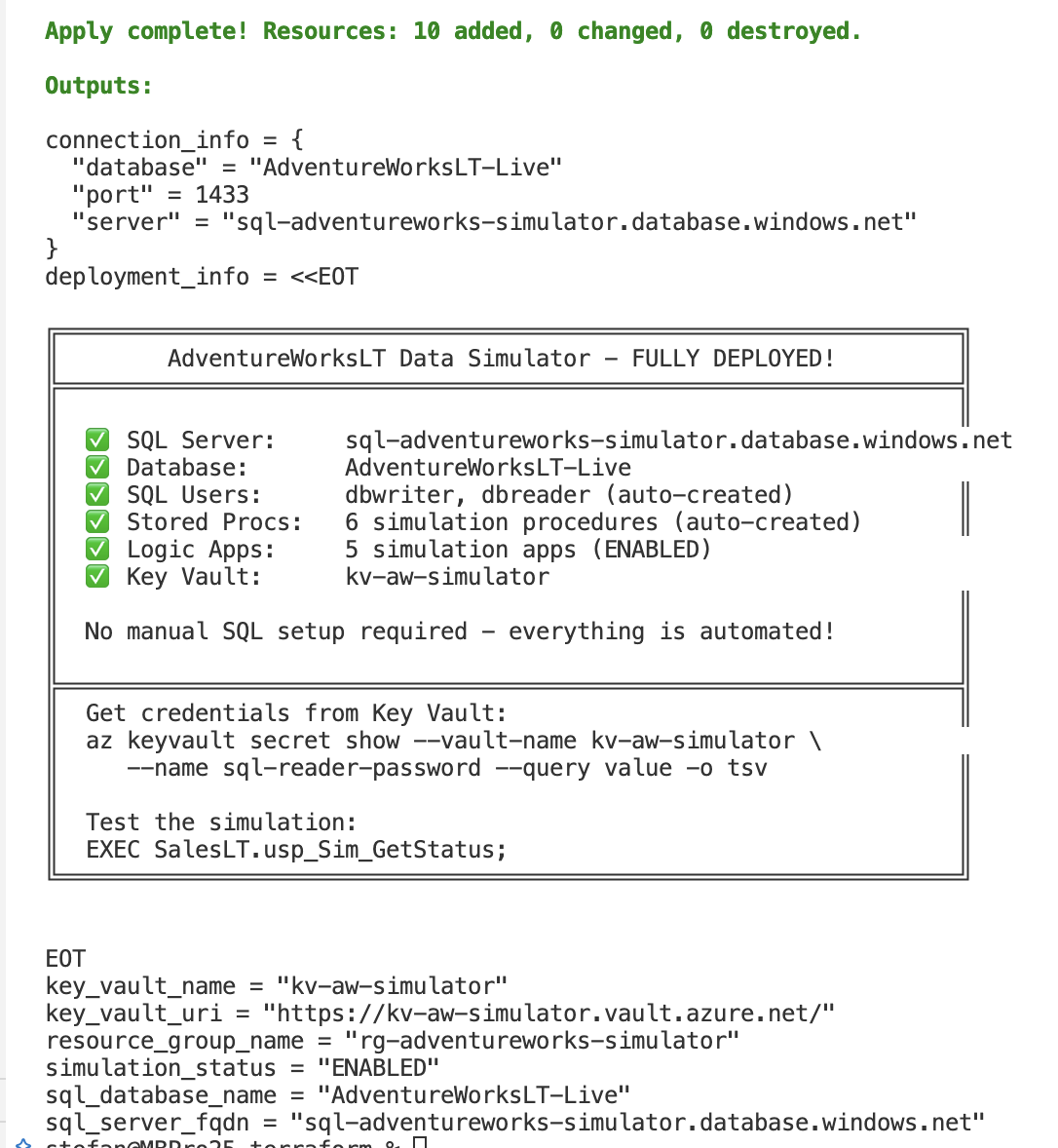
Terraform will output connection details:
Connect to Your Database
Retrieve credentials from Key Vault:
|
|
Connection string example:
|
|
Monitor Simulation Activity
Query the database to see activity:
|
|
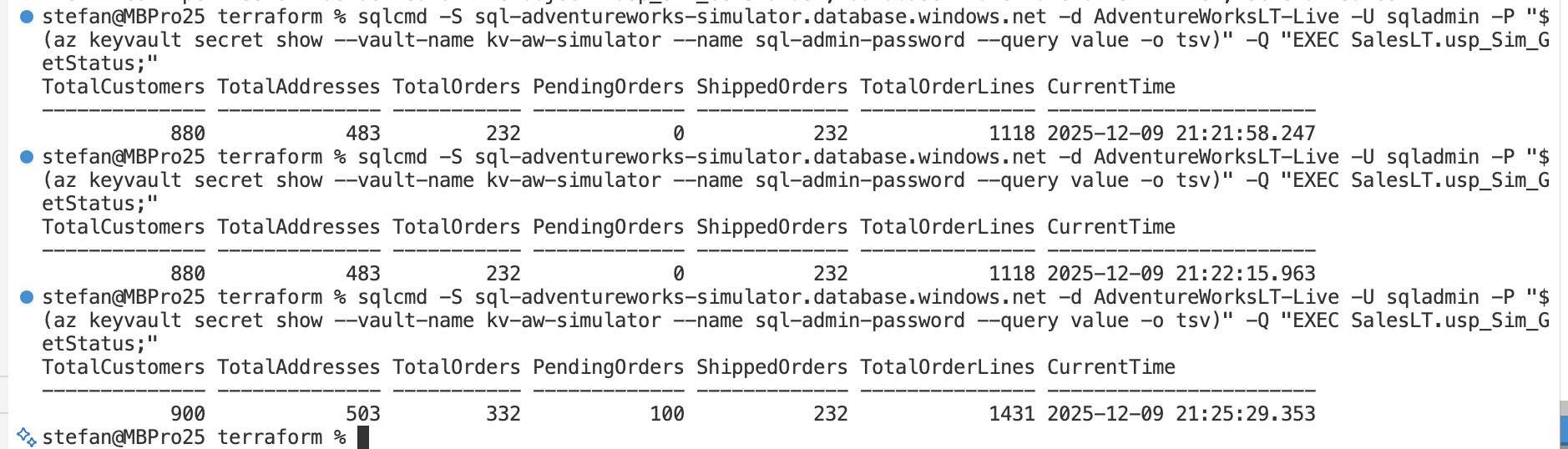
Or you can query the results directly from your terminal.
|
|
The output looks like this:
Cost Management
I run this demo several days in my test-environment. As you can see, it costs less than 0.44 Swiss Francs, so in my case it’s about 4.25 Swiss Francs per month.
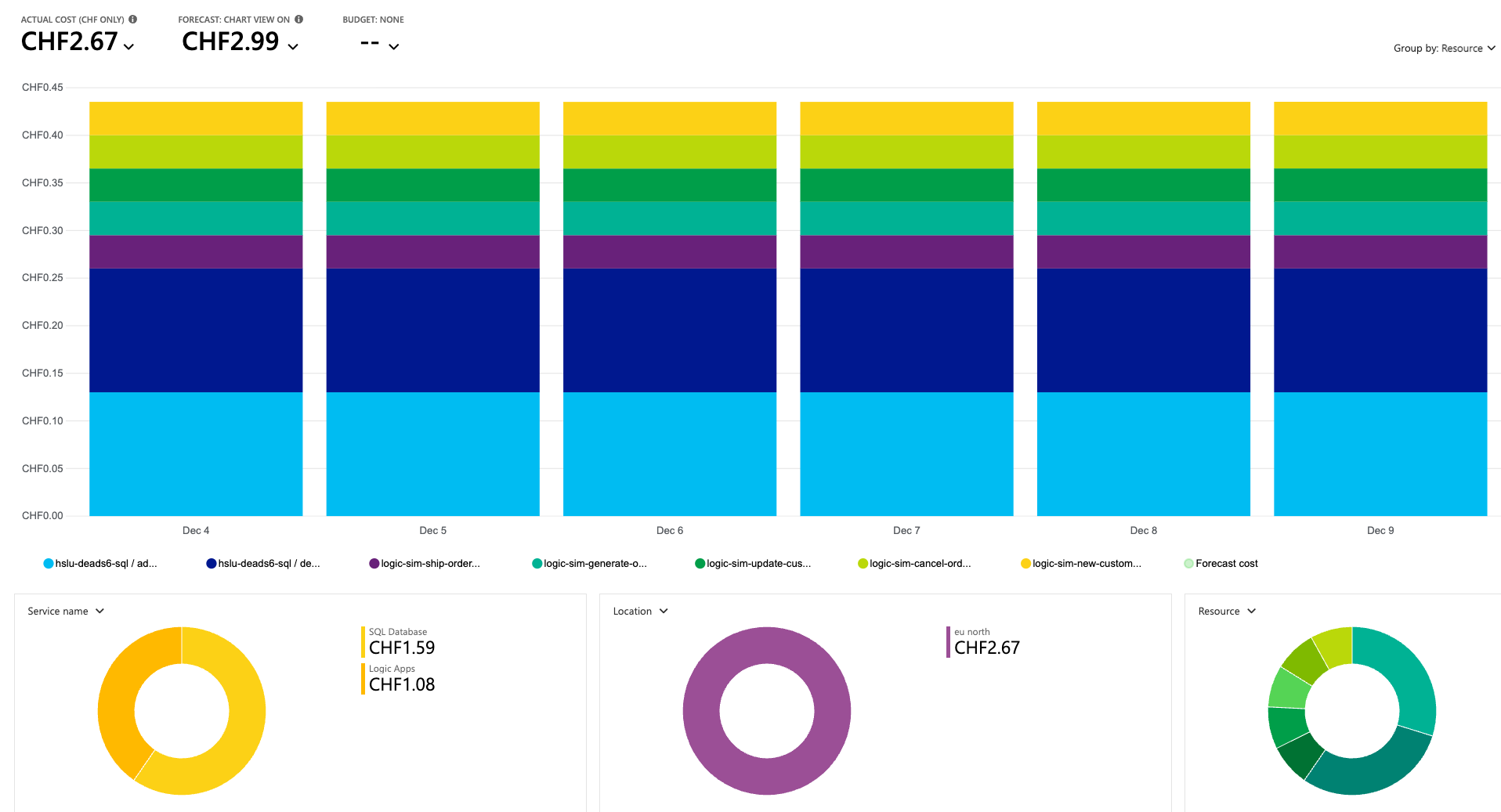
But there’s also some other insights from this long running test. As we put in new data every few minutes, it takes more time to calculate and needs more CPU Power. Also more space will be allocated over time.
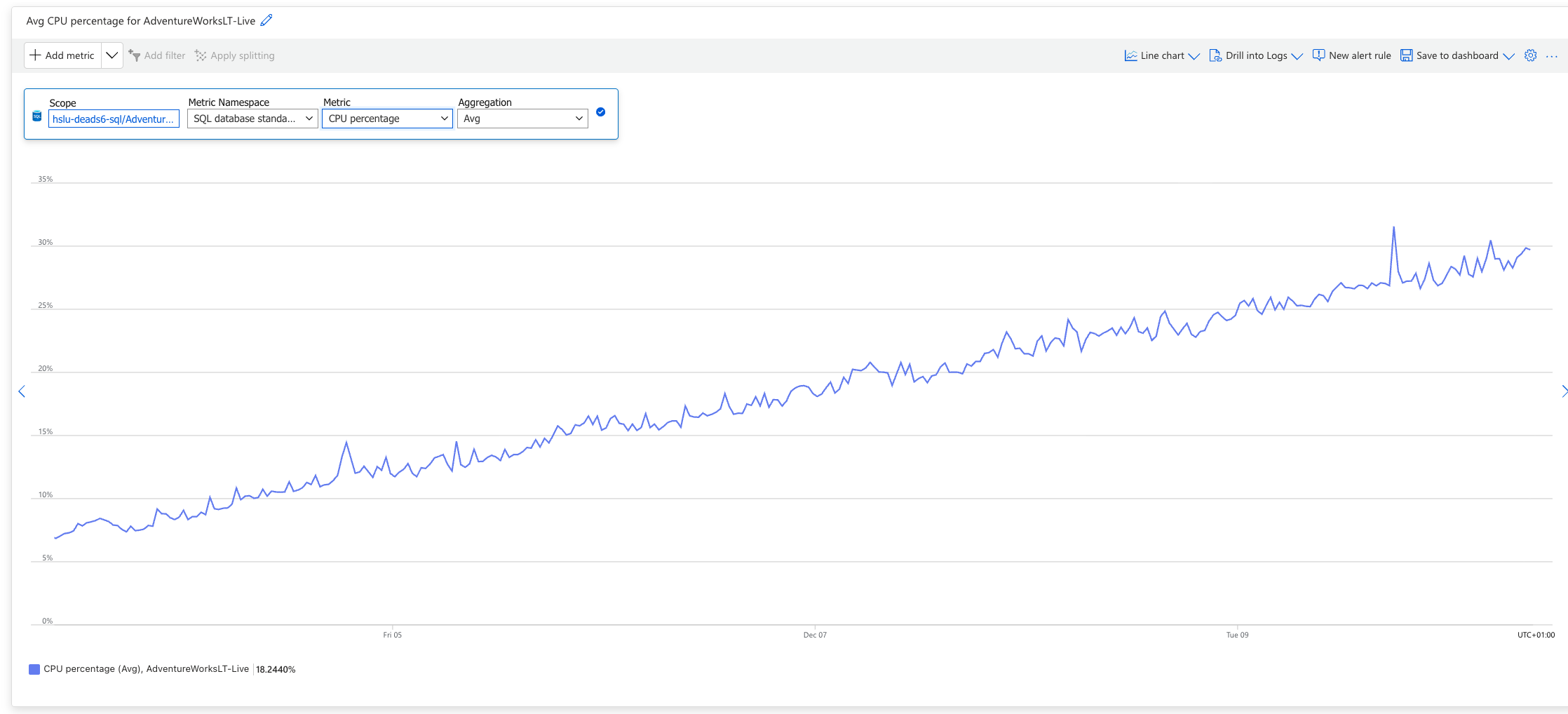
Is this a problem? I think not. Just destroy the environment with terraform and redeploy it again.
Ways to save money:
-
Pause simulations when not in use:
1simulation_enabled = falseThen run
terraform applyto disable Logic Apps. -
Reduce simulation frequency:
1simulation_interval_minutes = 15 # Instead of 5 -
Delete when done:
1terraform destroy
Conclusion
Building data pipelines for static datasets teaches you syntax. Building pipelines for changing data teaches you data engineering.
This AdventureWorksLT Data Simulator gives you a safe, cheap, disposable environment to practice:
- Change Data Capture (CDC)
- Incremental loading patterns
- Streaming pipelines
- Data quality handling
- Schema evolution
- Slowly Changing Dimensions (SCD)
The entire setup costs less than a fancy coffee per month and can be deployed/destroyed in minutes. No manual configuration, no clicking through Azure Portal, just Infrastructure as Code.
Try it out: https://github.com/stefanko-ch/AdventureworksLTDataSimulator
If you build something cool with it, find bugs, or have ideas for improvements, I’d love to hear about it. Open an issue or submit a PR!
Title image generated with Google Gemini